Connect to Snowflake
Overview
Highnote connects directly to your Snowflake account to support data share -- this section explains how.
First, send Highnote your Snowflake account details, then accept the data share request from Highnote and connect. For help, contact support@highnote.com.
Prerequisites
- A Snowflake account.
- An
ACCOUNTADMINrole.
Connect your Highnote account
-
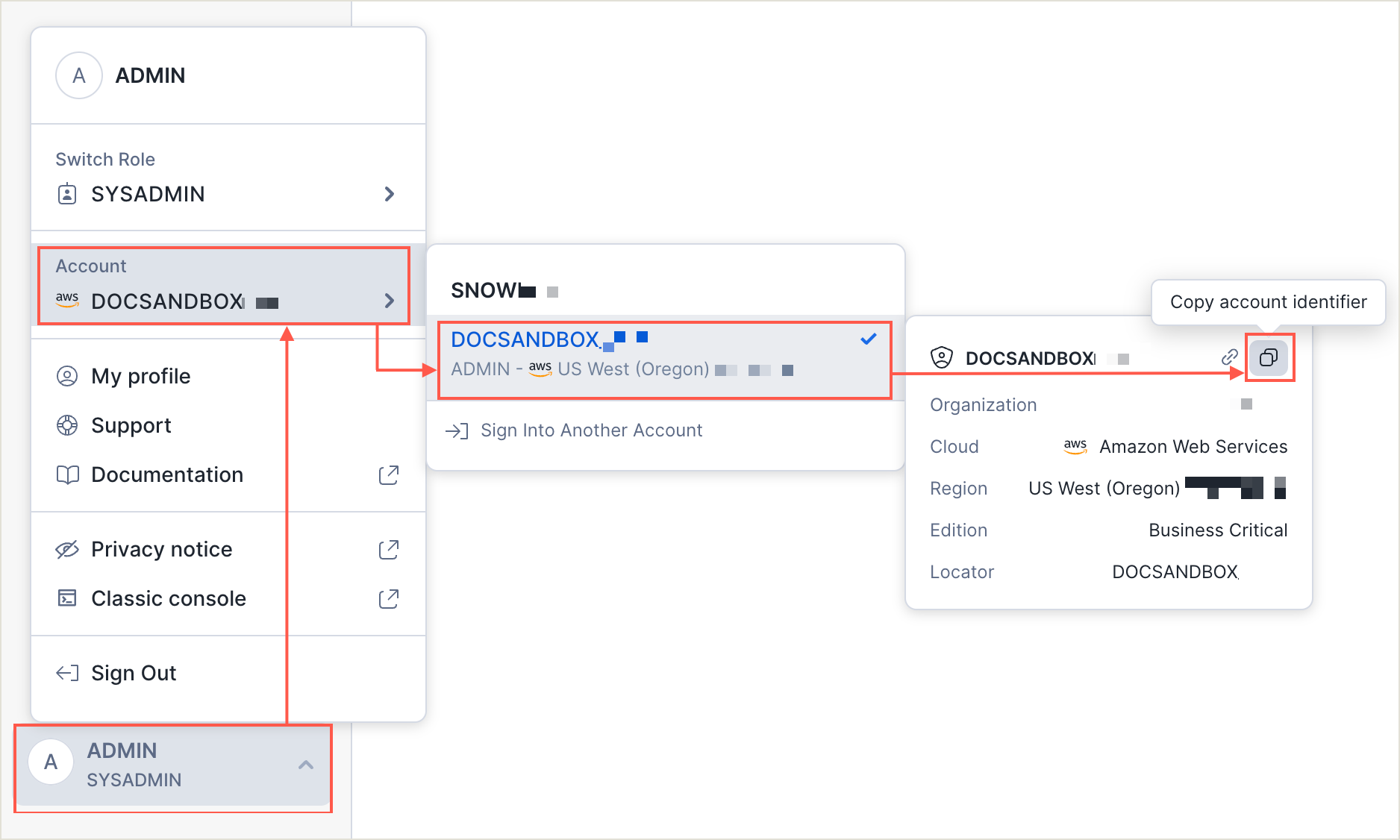
Log into your Snowflake account and get your account number and region. Send this info to Highnote.
-
Wait 2-3 business days to see the dataset privately shared to your Snowflake account. (Highnote will notify you once the share is completed.)
-
Log in to Snowflake with your
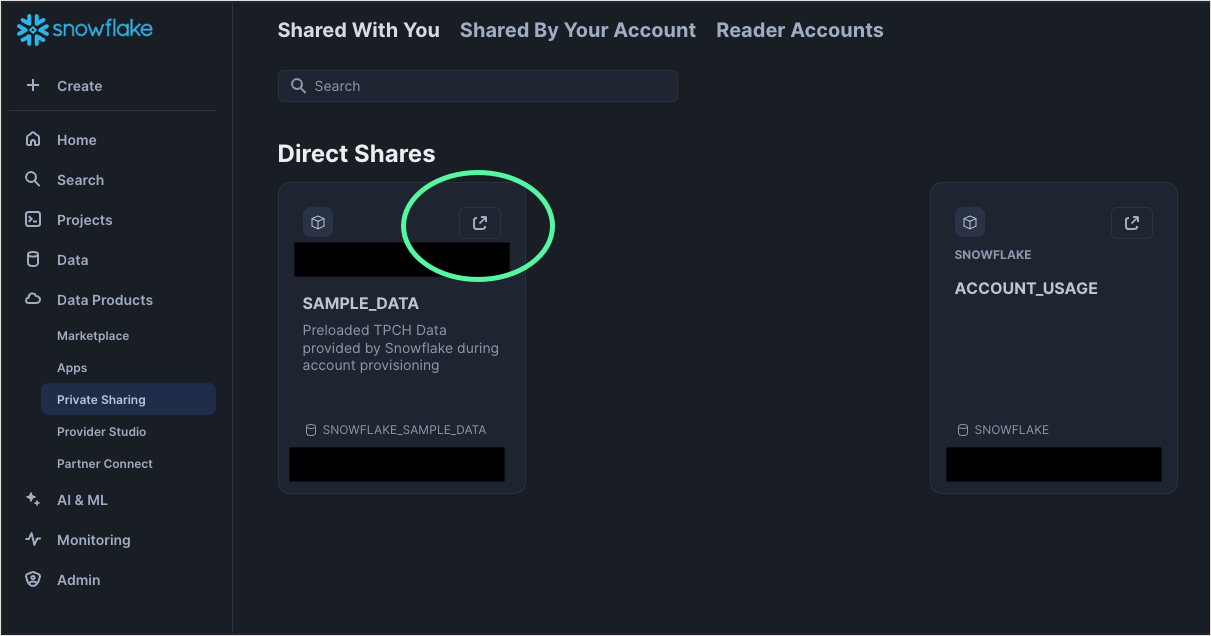
ACCOUNTADMINrole, navigate to Data Products, and select Private Sharing. -
Click the Get arrow from the dataset we shared to accept the share.
-
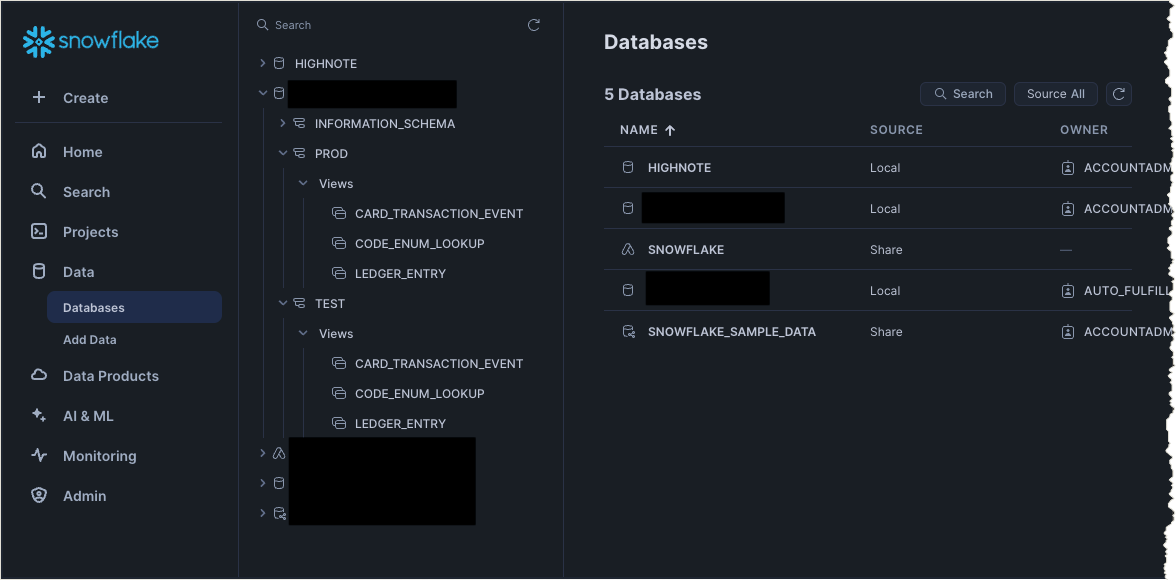
Confirm you can view your Highnote data on the Data and Databases page.
-
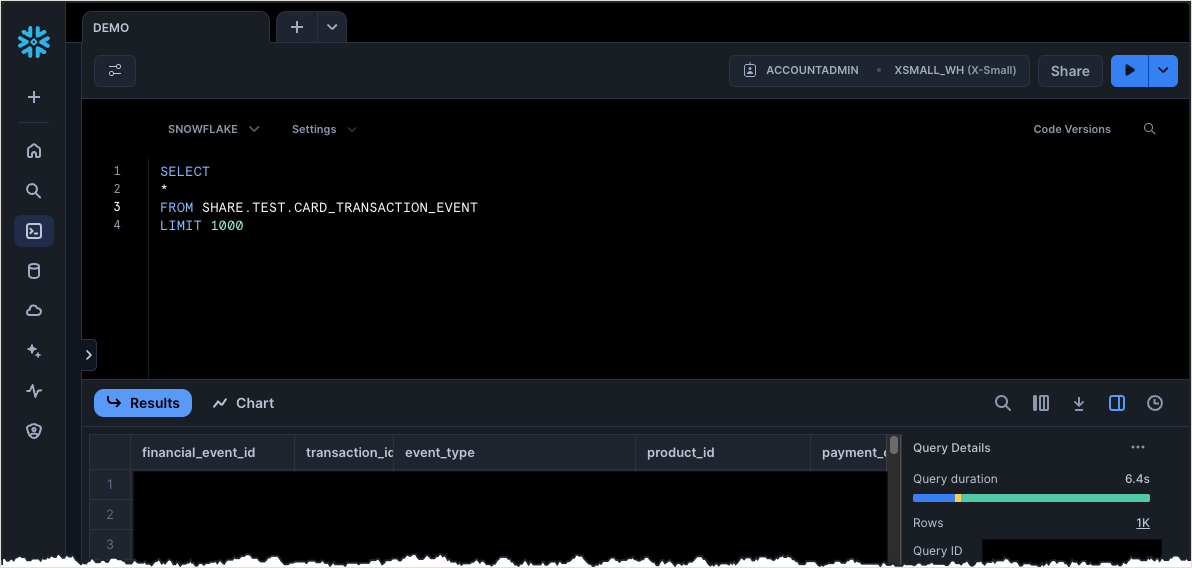
Query Highnote data directly in Snowflake by going to Home → Query data → new worksheet.
Refer to the Snowflake docs for detailed information: