About Highnote
What is Highnote?
Highnote is a unified platform for embedded finance and was intentinally built for both card issuance and acquiring, including credit and real-time money movement. Core features include a real-time programmable ledger, integrated payments, and complete program management.
- Issuing Cards: Launch and manage modern card programs, including debit, credit, prepaid, fleet, and virtual, with full control over design, spend rules, and user experience.
- Acquiring Payments: Accept payments and reconcile funds with unified merchant acquiring capabilities that work seamlessly with your issuing and ledger systems.
- Managing Credit: Offer branded or embedded credit products, including charge cards, credit lines, and revolving programs, tailored to your business model and customer needs.
- Moving Money: Move money in real-time with direct access to push-to-card, RTP, ACH, and other domestic and cross-border rails.
Highnote API and Dashboard
Highnote uses a GraphQL API to provide a flexible, modern, and secure integration experience. The Highnote Dashboard is a no-code user interface built on top of the Highnote API.
Whichever framework you prefer, start by creating an API key in the "Developers" section of the Dashboard on the API Keys tab.
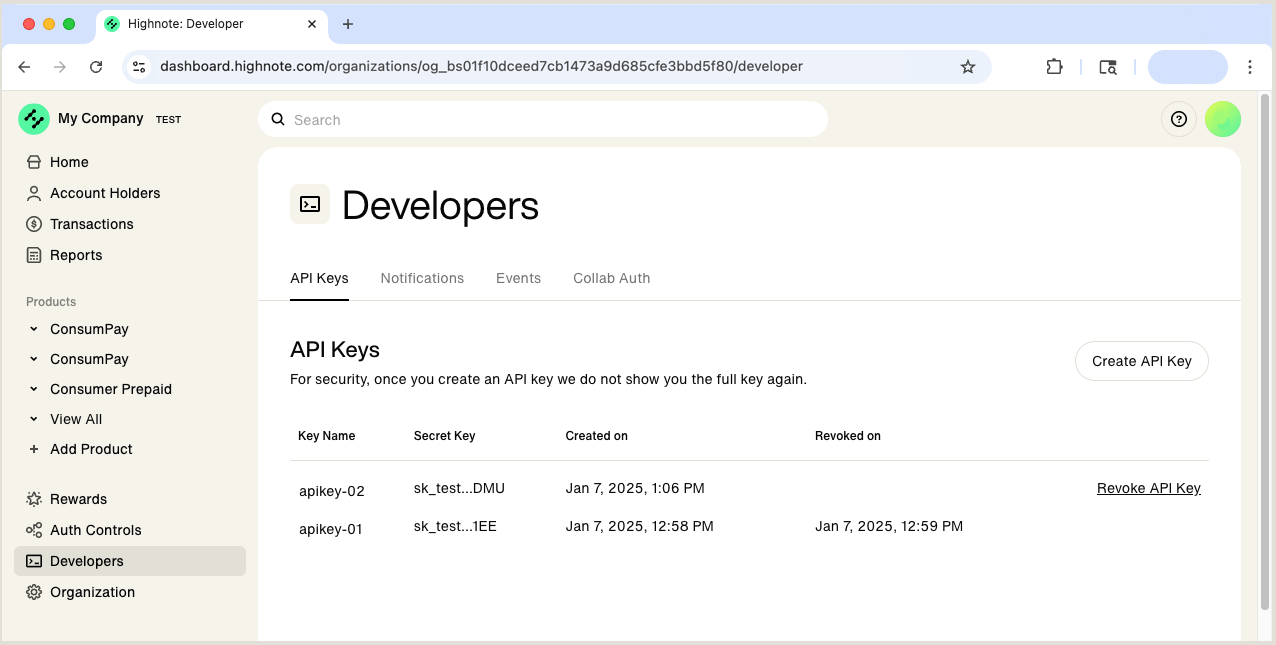
With your API key ready to go, you can call the API and see your results in the Dashboard, or you can create and configure Highnote products in the Dashboard directly.
Test and Live environments
Do not enter production data in the Test environment. The Highnote Test environment is for exploring features and training. Use only dummy or test data.
Hignote environments contain your card products and let you build your integration and test the API. You have access to two environments on the Highnote platform, Test and Live.
- Test environment: Build your integration with the Highnote API, simulate capabilities and transactions, and train your team on using Highnote.
- Live environment: Actively issue payment cards and run transactions with your launched card product. The Live environment provides an easy-to-use interface to support your live card products.
You can interact with both environments using the Highnote API or Dashboard. The Highnote API Guides (here in this documentation set) explain how to use the API to interact with both environments. The Highnote Support Guides explain how to use the Dashboard.
Next steps
Use the following steps to create an account and review Highnote’s getting started content:
- Create a Highnote account.
- Create API keys in the Dashboard on the Developers > API Keys page.
- Read about the Highnote API and Dashboard.
- Test the API in the API Explorer.